Best WMS for QuickBooks
Alex
8/25/2025
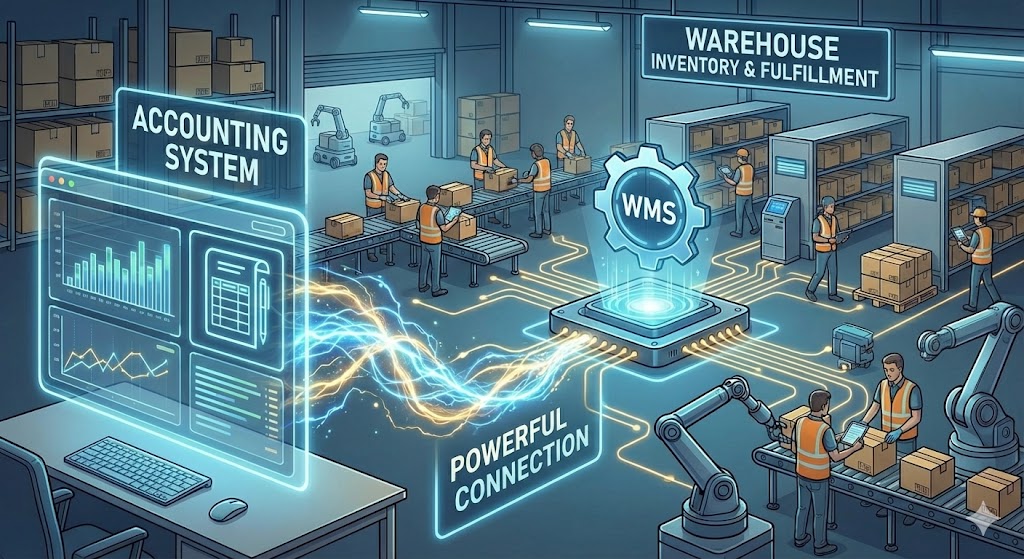
If you've been using QuickBooks for inventory management but are looking for more this is your guide to finding the right WMS to grow with. There are some questions we need to cover such as "What is a WMS?" and "Why a WMS instead of an IMS?" or "At what point do I need a WMS?" all of which will help you determine the right fit for your business. At the end of this guide we hope to excite you about the possibilities a WMS can bring to your business as well as to give you a fundamental overview of the options available.
What is a QuickBooks Warehouse Management System (WMS)?
In short a WMS is your central operation hub for the warehouse. It is a system that coordinates everything from purchasing and inventory control to order management, fulfillment, and stock takes. Oftentimes companies migrate to a WMS from basic systems or even just spreadsheet operations. This jump can almost overnight improve your efficiency enough to cover the cost within 2-4 months while making your margins grow. So, what are the main functionalities of the best WMS for QuickBooks?
Inventory Management
Provides real-time visibility of all stock levels and locations
Tracks inventory by batch, lot number, serial number, and expiration dates
Manages stock status (e.g., available, on-hold, in-transit, damaged)
Prevents stockouts and overstocking by monitoring inventory turns
Inbound Logistics (Receiving & Put-away)
Verifies incoming shipments against purchase orders (POs)
Uses barcode or RFID scanning to accurately log new items
Provides system-directed "put-away" instructions for optimal storage
Handles cross-docking by immediately routing received goods to an outbound shipment.
Forecasting
Combine data from orders, lead times, and inventory levels to provide accurate replenishment quantities
Gets more accurate over time as more data is available
Reduces stock outs through automated notifications
Order Management
Receives and consolidates orders from multiple channels (e.g., e-commerce, ERP)
Allocates available inventory to open orders
Organizes orders into prioritized waves or batches for efficient picking
Generates pick lists and packing slips for the warehouse floor
Outbound Logistics (Picking & Packing)
Directs workers on the most efficient path for picking items (path optimization)
Supports multiple picking methods (e.g., batch picking, zone picking, wave picking)
Uses scan-verification to ensure item and quantity accuracy
Guides the packing process, including box selection and material consolidation
Shipping & Fulfillment
Integrates with major shipping carriers (e.g., FedEx, UPS, USPS) to get rates
Generates compliant shipping labels, packing slips, and bills of lading (BOL)
Verifies order weight and dimensions before shipping
Updates the sales channel with tracking information upon shipment
Warehouse Layout & Slotting
Creates a digital map of the warehouse, including zones, aisles, racks, and bins
Manages the storage logic and capacity for each bin location
"Slotting" functionality analyzes sales velocity to place fast-moving items in easily accessible locations
Maximizes storage density and minimizes picker travel time
Labor Management
Directed and undirected work management
Permission-based access control to features
Assigns and tracks tasks for all warehouse employees
Monitors individual worker productivity (e.g., picks per hour, accuracy)
Identifies performance trends and bottlenecks in workflow
Helps forecast labor needs based on order volume
Reporting & Analytics
Provides dashboards for key performance indicators (KPIs)
Tracks metrics like order fill rate, inventory accuracy, and on-time shipment percentage
Creates detailed reports on inventory aging, stock valuation, and order history
Enables data-driven decisions for process improvement
Stock Control & Replenishment
Manages cycle counting schedules to verify inventory accuracy without a full shutdown
Facilitates inventory adjustments for shrinkage, damage, or found items
Automates replenishment tasks, moving stock from bulk storage to forward picking locations
Sets minimum/maximum levels and reorder points for products
QuickBooks Sync
Real-time sync between WMS and QuickBooks
Inventory, orders, purchases, vendors, products, landed costs
View synced data and manually override failed sync events
Ensure accurate costs, inventory, and purchases in both places
Why a WMS compared to IMS?
When QuickBooks users find their operations are too complex for what the accounting software offers, they should choose a Warehouse Management System (WMS) over a basic Inventory Management System (IMS).

The reason is simple: QuickBooks already is a basic IMS. It's great at tracking the financial side of your inventory (what you bought and sold, and its value). Your problem isn't knowing what you have; it's physically controlling it.

An IMS just tells you the "what" and "how many" (e.g., "You have 500 blue widgets"). A WMS controls the "where" and "how" (e.g., "The 500 blue widgets are in bins A-1 and A-2. To fulfill order #1001, go to bin A-1, pick 10, and take them to packing station 3.")

A WMS is the operational brain for your physical warehouse, while your IMS (or QuickBooks) remains the financial brain for your business. This is why the best WMS for QuickBooks incorporates all the key aspects of the operations side for your business.
WMS vs. IMS Comparison
Criteria for the best WMS for QuickBooks?
There are some good options for a WMS that works with QuickBooks, but the challenge is finding the best WMS for QuickBooks. More specific is to find the best WMS for QuickBooks that also works with your business well. So, here we will outline our choices for the best WMS for QuickBooks and the criteria for labelling it as such. The factors for why we included a platform or not are based around overall usability and feature set but also about how well the platform integrates and performs with QuickBooks as a primary accounting platform.
This criteria comes from our own experience working with hundreds of companies in a very hands-on way as well as from AI summaries and deep research on the topic. These are the criteria we expect have a big impact on making a company more operationally efficient and effective at managing inventory as well as fulfilling orders in a timely way.
QuickBooks Integration
At the core of our criteria is the way a WMS interacts with QuickBooks APIs to update data back and forth between the two systems. Here are the core expectations of a WMS linked to QuickBooks:
QuickBooks is the source of truth for all financial data
(what you paid, what was charged, who you owe, who owes you)
The WMS is the source of truth for all physical data
(what you have, where it is, and what your team is doing)
Data Sync
WMS should update QuickBooks in near real-time
WMS should send vendors, purchase orders, landed costs, products, inventory, and possibly orders, taxes, fees to QuickBooks at a minimum
Operations
QuickBooks WMS Functionality
Any system you choose to use with QuickBooks for inventory, fulfillment, and warehouse management will need to have a high level of base functionality. Depending on your business, certain features will be more important than others. Since we have already covered the major features of a warehouse management system this will serve as a simple recap plus a few additions from more advanced functionality.
Basic QuickBooks WMS Functionality
Barcode scanning with multiple barcode formats
Barcode printing (should also include custom label builder for POs, pack slips, bin labels, invoices, etc.)
Bin creation (SKUSavvy provides 3D warehouse layouts for use here)
Labor management with staff permissions
Vendor management
Cost management including landed cost on POs
Purchase order creation
Purchase order check-in and allocation of stock
Inventory control between bins
Slotting of stock to bins with available space based on usage patterns
Inventory movement
Order management (ingest orders from channels, make edits, filter down)
Order batching for efficient order picking
Order picking with efficient routing to inventory
Order packing with optional pick to tote
Shipping label rate shopping and printing
Cycle count stock
Logs of every inventory movement
Advanced QuickBooks WMS Functionality
Lot tracking and expiration dates
Serialization
RFID scanning
Integration with warehouse automation systems
Advanced landed cost calculation
Bin replenishment automation
Advanced forecasting tools
Kitting and kit assembly
Advanced reporting
Returns management authorization (RMA)
3PL Billing
Sales payments and PO billing
WMS Connection Pricing
One big consideration for the best WMS for QuickBooks is the price of the WMS as well as the connector. Many WMS will include this but not all. You may find that some WMS have an app store that 3rd party developers can build this connection which charge an extra fee for. For some other systems QuickBooks may have created a connection already which will oftentimes be free.
Pricing Strategies for QuickBooks WMS
QuickBooks connector fee
Built into the WMS price
QuickBooks app store fee
The best WMS for QuickBooks
Now we get to the best options available for QuickBooks WMS. There are many options available and depending on your business one will be better than the others. This guide aims to present some good options with their comparative benefits so that you can make an informed decision.
SKUSavvy

An obvious choice due to the depth of funcitonality, detailed QuickBooks connection, and fair pricing.
Fishbowl

Touted as a QuickBooks based inventory system due to deep integration and functionality
Katana

Less of a WMS and more of a MRP Katana does have a solid QuickBooks connection with manufacturing
SOS Inventory

An old school system with a detailed connection to QuickBooks this system has the basics and is tried an true but lacks depth
Extensiv

With a robust QuickBooks connection and a broad functionality Exensiv is one of the larger players but it has issue with sync capability
Linnworks

Part of a roll up with SKU Valut, Linnworks is a capable system with one of the more limited QuickBooks connections
The reason we have placed SKUSavvy as the best WMS for QuickBooks is mainly for its diverse feature set and strong integration with Shopify while keeping total cost of ownership low. These three key areas mean it has the power to handle very diverse business needs while making it competitive to operate long term. The QuickBooks integration is really the icing on the cake making so that you can actually replace a NetSuite, even SAP in some cases with a single WMS and QuickBooks together. This can be a significant reduction in cost and simplified operating structure.
QuickBooks Integration
Built to work best with Shopify stores SKUSavvy offers a free integration with QuickBooks to sync in real-time your orders, customers, vendors, purchases, inventory, and products. With a clean interface to manage all data being synced this is a strong addition to your WMS. One of the most advanced WMS on the market built for high volume merchants you will have ERP-lite functionality at a fraction of the cost using this stack.
Strengths
Full circle functionality with everything you need to operate the warehouse with
Cost competitive with perfectly scalable pricing based on order volume
3D virtual warehouse map is both functional and innovative
QuickBooks connection is native and provides a full view of all data being synced
Real-time data sync between both QuickBooks and Shopify
The best WMS for Shopify
Fully mobile design means your team can operate anywhere on any device
Weaknesses
Does not have full manufacturing scheduling and BOM handling
Primarily works with Shopify stores and channels that connect directly through Shopify
High volume merchant focus
Fishbowl is widely considered the "gold standard" for QuickBooks Desktop users who have outgrown the native inventory features. It is a heavy-duty inventory and manufacturing system that sits locally on your server (or hosted cloud). It is designed to handle complex manufacturing (BOMs, work orders) and warehouse operations that require granular tracking.
QuickBooks Integration
Fishbowl was built specifically to integrate with QuickBooks Desktop (Enterprise, Premier, Pro). It acts as a sub-ledger: you do all your logistics in Fishbowl, and it "posts" financial journal entries to QuickBooks to keep the General Ledger updated. (Note: They now offer "Fishbowl Online" for QuickBooks, but the Desktop integration remains their flagship strength).
Strengths
Granular Manufacturing: Excellent handling of Bills of Materials, production stages, and labor costing
Deep QuickBooks Desktop Integration: A robust sync for QuickBooks Desktop users; handles complex journal entries automatically
Scalability: Can handle massive SKU counts and complex multi-warehouse setups
Weaknesses
Interface: The desktop version feels dated (Windows 98/XP style) compared to modern SaaS tools like SKUSavvy
Steep Learning Curve: Requires significant implementation time and training to set up correctly (>6 months)
Server Dependency: The core product requires a server environment (or hosting), making it less flexible than true cloud apps with more maintenance
Katana is a "Visual Manufacturing ERP" that prioritizes usability and modern design. It is built for the "maker"—businesses that produce their own goods. Its interface is highly visual, using a color-coded (Red-Amber-Green) system to show material availability instantly (e.g., "Do I have enough fabric to make this shirt?").
QuickBooks Integration
Katana features a strong, native integration with QuickBooks Online. It syncs invoices and purchase orders directly. When you complete a manufacturing order in Katana, it pushes the relevant Cost of Goods Sold (COGS) and inventory asset value changes to QuickBooks. Limited or non existed sales sync and might be limited on vendors and products currently.
Strengths
Visual Planning: The "Smart Workshop" dashboard allows you to prioritize orders and see real-time material reallocation
Modern UI: Incredibly user-friendly and easy to adopt compared to legacy MRPs
QuickBooks Sync: Seamlessly pushes invoices and bills to QuickBooks Online
Weaknesses
WMS Limitations: It is an MRP (Manufacturing) first; its WMS (Warehouse) features (like bin locations and scanning) are lighter and less robust than SKUSavvy or Fishbowl
Cost: Pricing can scale quickly as you add more users and manufacturing orders
SOS Inventory was built specifically for QuickBooks Online users who need more power. It was designed to look and feel like an extension of QuickBooks Online. It effectively bridges the gap between the basic inventory in QuickBooks Online and a full-blown ERP. It handles serial numbers, lot tracking, and assemblies while maintaining a very tight financial sync.
QuickBooks Integration
This is its superpower. SOS Inventory has arguably the tightest native integration with QuickBooks Online of any platform on this list. It syncs customers, vendors, items, and transactions bidirectionally. It is often described as "what QuickBooks Online Inventory should have been." The downsides are its limited functionality and outdated interface that feels more like an old school Windows app than a modern SaaS app.
Strengths
Integration: Flawless sync with QuickBooks Online; data flows in near real-time
Cost-Effective: Generally more affordable than Fishbowl or Extensiv for the functionality provided but hard to compete against SKUSavvy price point
Versatility: Handles both finished goods (retail) and light manufacturing (assemblies) well
Weaknesses
UI/UX: Functional but utilitarian; lacks the polished, modern "app-like" feel of Katana or SKUSavvy
No mobile capability present
Performance: Can experience lag or slowness if you have a high volume of transactions compared to dedicated enterprise SQL systems
Extensiv is a platform formed by the merger of several heavy-hitter logistics tools (3PL Central, Skubana, Scout, CartRover). It is geared towards 3PLs (Third Party Logistics) and high-volume brands managing omnichannel sales (Amazon, Shopify, Walmart). It focuses on "Order Management" (routing orders to the right warehouse) and "Warehouse Management" (picking/packing).
QuickBooks Integration
Extensiv connects to QuickBooks (both Online and Desktop) primarily through its Integration Manager (formerly CartRover). This acts as a middleware bridge that translates order and inventory data into accounting transactions. Even with this connection you may need to rely on third parties to complete all transactions necessary.
Strengths
Omnichannel Power: Unbeatable for brands selling on 10+ marketplaces; it acts as a central command center
3PL Capability: If you are a warehouse shipping for other companies, this is the industry standard
Automation: "Orderbots" can automate complex routing logic (e.g., "If order is from West Coast, route to LA warehouse")
Weaknesses
Complexity: It is a complex ecosystem of different modules; setting it up requires a dedicated implementation team
Pricing: Extensiv can end up being as much or more than a normal ERP system without the added cost of QuickBooks
Shopify Sync: if you are also running Shopify, many users have reported issues with the data sync
Indirect Sync: Relying on the "Integration Manager" for QuickBooks means an extra layer of configuration rather than a simple "click to connect" native feel
Linnworks is a cloud-based WMS designed to solve one specific problem: Inventory Accuracy for eCommerce. It uses a "Hyper-picking" methodology to ensure that what you ship is exactly what the customer ordered, drastically reducing error rates. it has a more modern interface though it is still an older system comparatively speaking.
QuickBooks Integration
Linnworks does not have a native, direct integration with QuickBooks Online built by Linnworks itself. It typically requires a third-party connector (like DBSync or a custom integration) to sync financials. This is a common friction point for users expecting a one-click integration.
Strengths
Q.C. (Quality Control): excellent features for barcode scanning validation to prevent mis-ships
eCommerce Focus: deeply integrated with Amazon, eBay, and ChannelAdvisor for inventory quantity syncing
User Accountability: detailed reporting on who picked what and when
Weaknesses
Accounting Disconnect: The lack of native QuickBooks Online sync means you will pay extra for a connector tool to get your financial data across
Reporting: While operational reporting is good, financial reporting is weaker (because it's not an ERP)
Easiest Way to Start?
You can start trying the QuickBooks sync today by getting a SKUSavvy account then going to the QuickBooks app connection to sync.